
Applies to:
ClassicS4 / S4+
Classic S5
Intelligent Display
Prerequisites:
Manage app must be updated prior to sending this command.
Setup Steps
In CommBox Manage, select the screen you wish to manage > Repository Actions > Remote Execute > Add New
Create the new command as follows:
Make sure it is set as a Command line, not a script.
Name: Store Update (or any sensible name)
Command: !internal
Arguments: setpref set props_overrides "get_serial_from_system_props=false;boolean"
Press Confirm when done.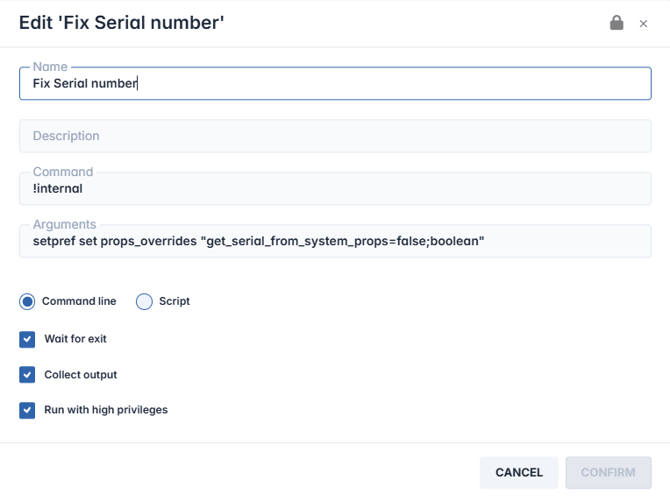
Execution Steps
In CommBox Manage, select the screen you wish to manage > Repository Actions > Commands & Scripts
Select the Store Update action you created, then press apply.
Reboot the CommBox.
Check the serial number info in the devices dashboard for correct serial number.